A lot of this information originated from Codename Engine's wiki page on custom classes.
HScript-Improved allows for the ability to make custom classes in your haxe scripts.
Note: while you do have the ability to make custom classes in HScript, it is far more limited than making classes in source code. A list of limitations will be provided at the bottom of this section.
Making custom classes in HScript is fairly simple, and you can either make it in the same script that you plan to use it in or you can add it to a separate script. Both will be covered here.
Lets make a simple FunkinSprite class that automatically sets the sprite's antialiasing based on your settings. To do this, we need to extend FlxSprite, as shown here:
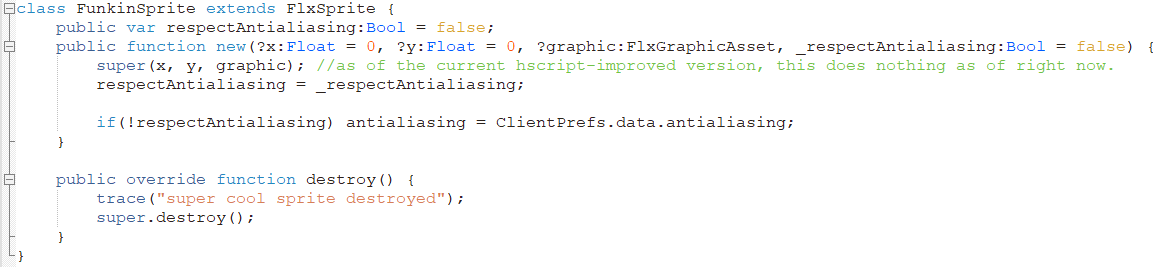
Please note that all custom values added to the created class need to be public in order to be accessable. It is also important to note that if you extend a class, you MUST have the same arguments for it's constructor, which is why the "x", "y". and "graphic" arguments remained the same.
Now let's actually use it:

Now when you run the script, your sprite will automatically set it's antialiasing depending on if you have antialiasing turned on.
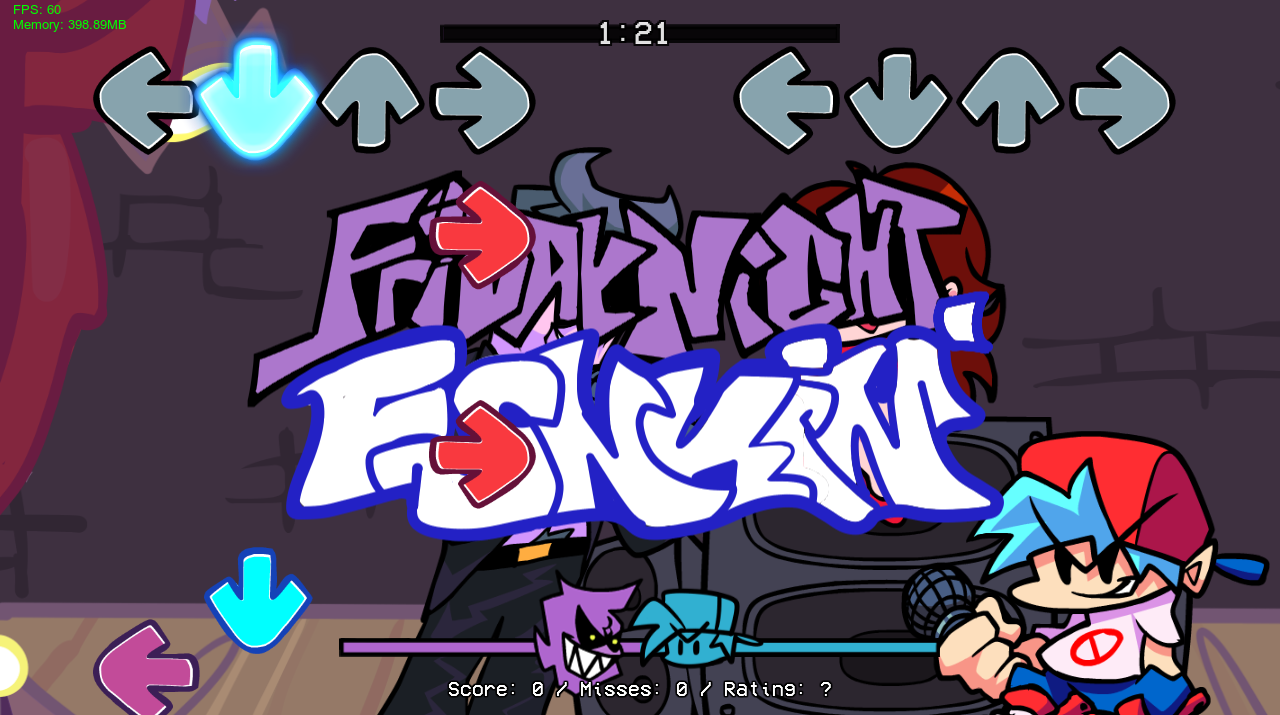
If you don't want your sprite to automatically switch it's antialiasing, simply set the 4th argument in it's constructor to "true". And if you ever want to access whether the object has "respectAntialiasing" enabled, you can do "spr.respectAntialiasing" to get it's property.
If you made your custom class in another script or in a library script, it can be made available by putting this in your script:
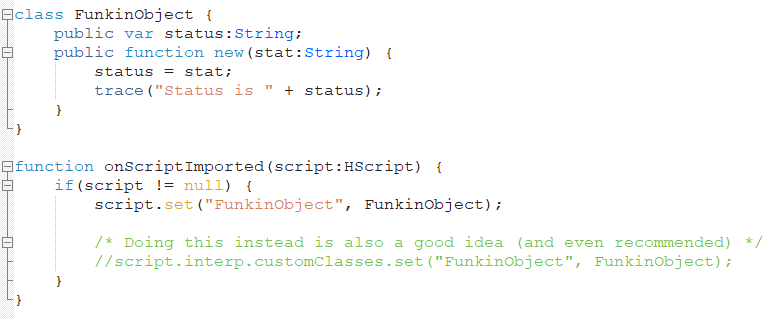
You can then import the class using the `import` keyword (script libraries) or using the `@:include` metadata.
When making a custom class that you don't want other classes extending, you can simply mark your class as final like so:
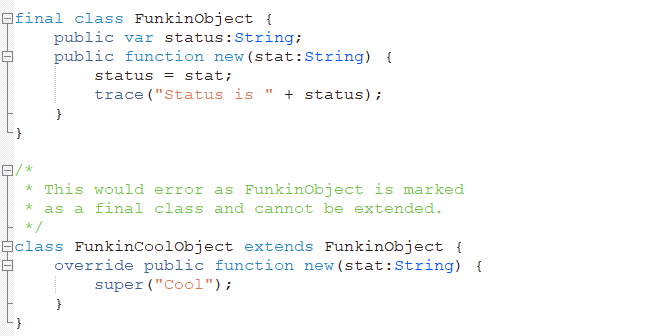
Also note that source classes can be blocked from being extended by a scripted class by marking a class with the @:noCustomClass metadata.
Starting From T-Bar Engine version 2.0, static functions and variables can be added to custom classes:
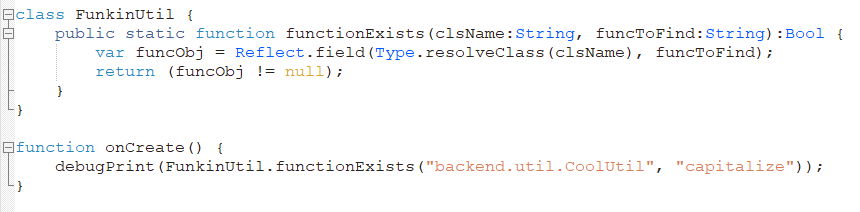
They act exactly as they do in regular haxe.
As mentioned earlier, HScript custom classes have a lot of limitations compared to source code classes, and provides a lot of limitations/defects, including (but not limited to):
For T-Bar Engine versions under 2.0, there are more limitations to hscript classes. This is due to older versions using a deprecated branch of hscript-improved with the old custom class system. Extra limitations for these versions include (but not limited to):
If you are making a source code mod, it is recommended to remove the "CUSTOM_CLASSES" flag in the Project.xml, as it reduces compile time. Only keep this enabled if your source code mod uses HScript custom classes in some way. If you are extending classes, edit the "ALLOWED_CUSTOM_CLASSES" variable in "source/hscript/Config.hx" to only allow the packages that contain the classes that you are going to extend.